Skip to main content
Submit a request
Sign in
ianacare
User Guides
For supporters: tips and strategies
How do I view posts and updates?
Updated
January 20, 2021 20:21
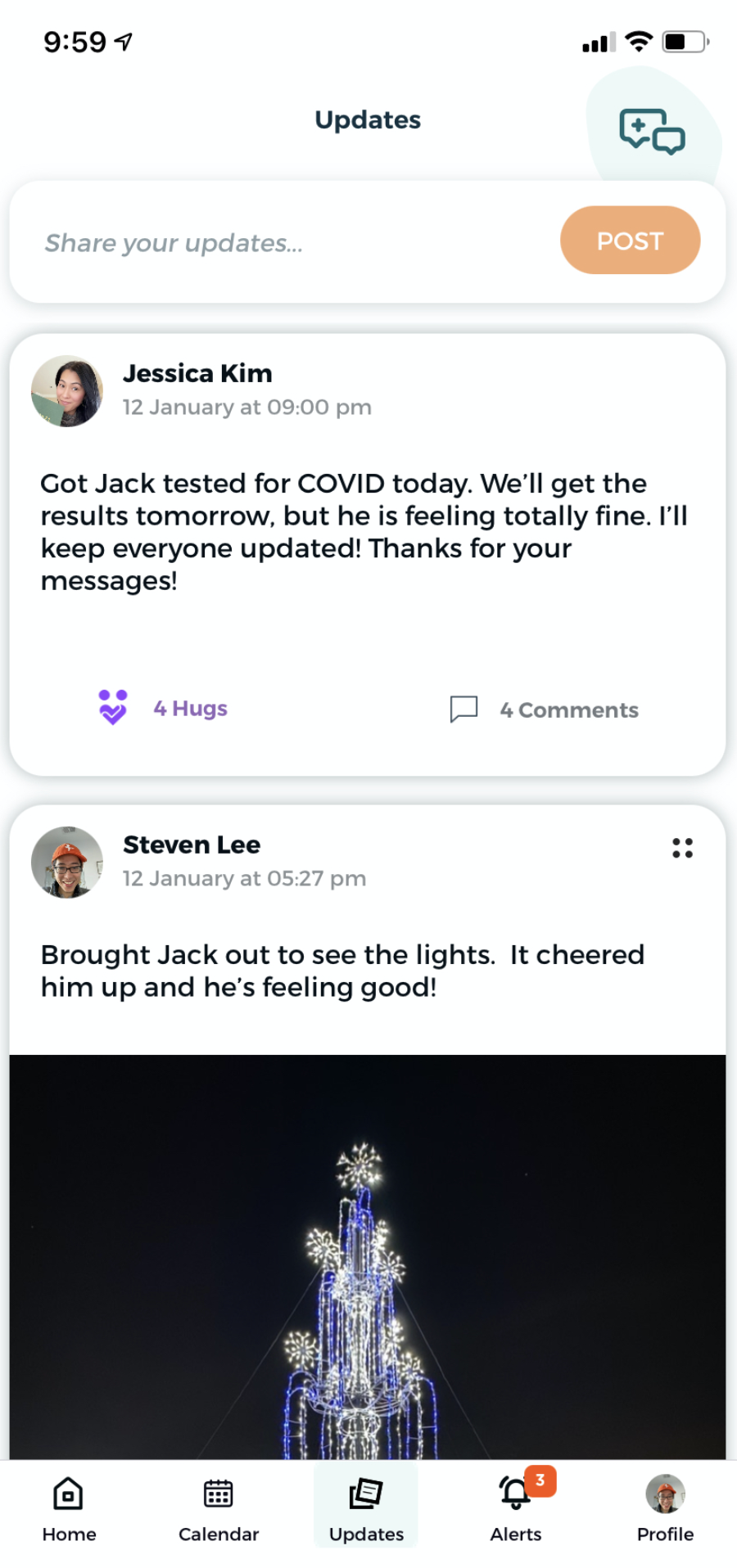
To view posts made by members of your team, go to the team and click on “Updates” in the bottom of the app. From there you can see any posts, add comments, and “hug” posts to show your emotional support.
Articles in this section
How to support caregivers through ianacare
What types of help can I offer and get through ianacare mobile and desktop apps?
What types of help can I offer through ianacare?
How do I edit or cancel a help offer?
How do I view posts and updates?
What types of help can I offer and get through ianacare mobile and desktop apps?
Was this article helpful?
Yes
No
0 out of 1 found this helpful
Comments
0 comments
Please
sign in
to leave a comment.
Have more questions?
Submit a request
Comments
0 comments